

TOKYO (Tom Bluewater) – The hottest month is over. But it’s still hot even in September. Well, I had a record number of releases in July. Then I had only one release. And I’m releasing the first title of the month. It’s a macOS software title. This new software release is called CopyReady 3.
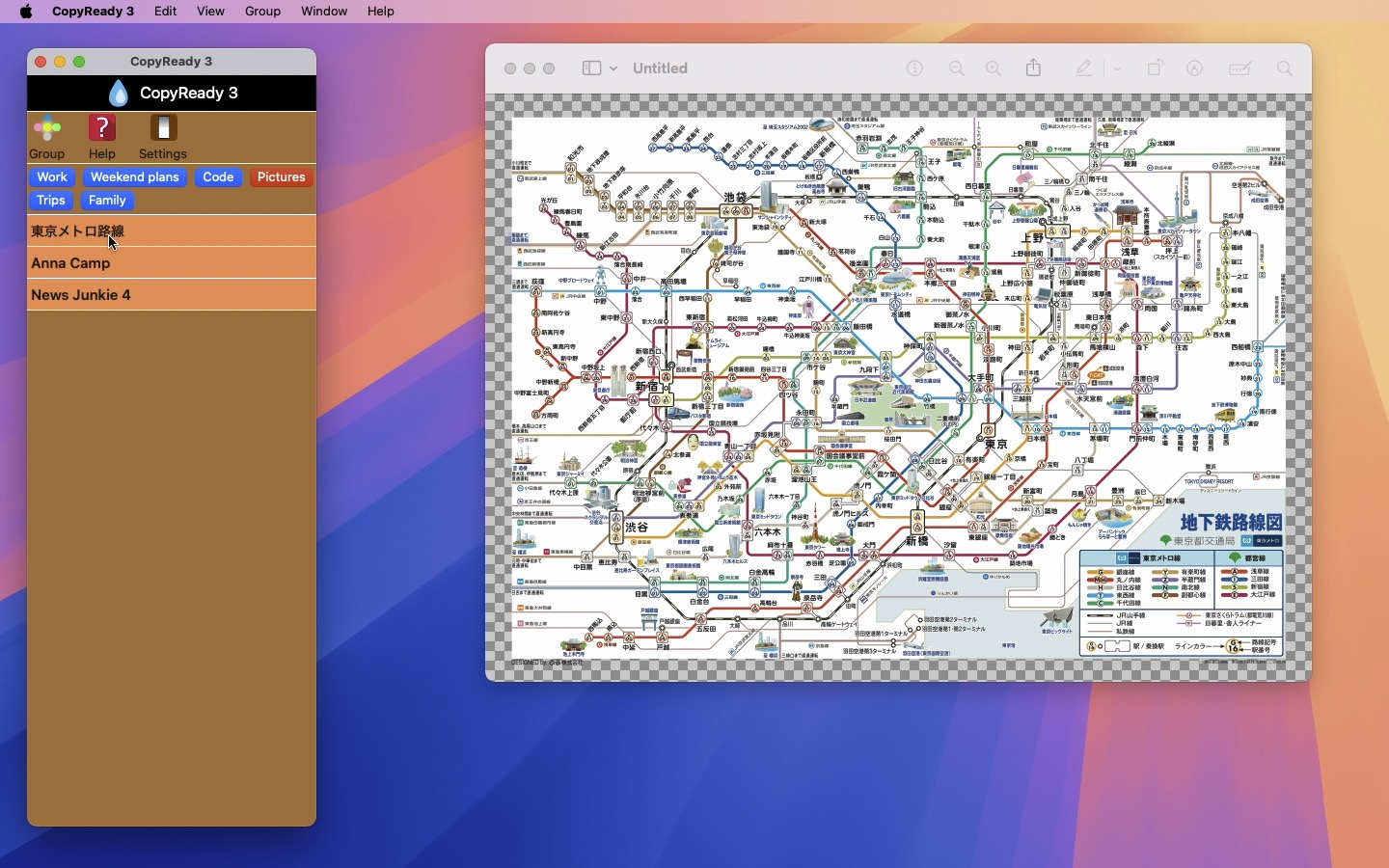
CopyReady 3 is the revival of a 15-year-old desktop application title. It lets you manage three different types of files: Text, Image and URL. After you create a group, drag and drop a textClipping file (.textClipping), an image file (.gif, .jpg, .pdf, .png, .tif…) or a URL file (.webloc) onto the top drop box with a droplet. When you click on a light blue copy item button under the current group button (in red), CopyReady will copy the corresponding text content into the system clipboard. So you can just paste it over a text file by pressing Command + V. When you click on an orange copy item button, CopyReady will copy the corresponding image into the system clipboard. So you can open it with Preview by choosing New from Clipboard under File. Finally, click on a light green copy item button, and CopyReady will open the corresponding URL with your default web browser.

Señor Tomato
|
Señor Tomato
|
System requirements
- macOS 14.0 (Universal) or higher with an Intel chip or an Apple chip (M1, M2, M3, M4)
Limitations
- You can create as many as 10 copy items without an in-app purchase.
Version history
Version 3.3.9 (Released on September 21st, 2026)
- A fix is made where the height of the scroll View did not match that of the collection of copy items, resulting in a thin line at the very bottom.
Version 3.3.8 (Released on August 30th, 2026)
- Fix: The more white background color area was visible as the user added more copy items to each group.
- The application now puts the list of copy items in a scroll view so that the main UI won’t break when the total height exceeds that of the application window.
- TCA (the Composable Architecture) package is updated.
Version 3.3.6 (Released on October 17th, 2025)
- Fix: When the user right-click on a copy item and selected Edit Text, the application could fail to show a sheet with existing lines of text.
- On top of choosing Create Copy Item under Copy and pressing Command + Shift + c, the user can also simply click on the top horizontal area with a droplet symbol to invoke the copy item creation sheet.
Version 3.3.5 (Released on October 15th, 2025)
- Fix: The application now recognizes the copy item click where there is no text.
- The copy item comes with two new contextual menus. When the user selects a text-based copy item, Search Text and Search Content menus will become active. And the application will run a search engine search. For URL and Image-based copy items, only the title search will become active. Furthermore, the user can select their default search engine (Google, Bing, Yahoo!, DuckDuckGo, Wikipedia) in Settings.
Version 3.3.3 (Released on October 14th, 2025)
- Fixed is an issue where the application showed an empty sheet when the user right-clicked on a copy item and selected Move or View Picture. Quick Guide is accordingly revised.
- The copy item comes with two new contextual menus. When the user selects a text-based copy item, Search Text and Search Content menus will become active. And the application will run a search engine search. Furthermore, the user can select their default search engine (Google, Bing, Yahoo!, DuckDuckGo, Wikipedia) in Settings. For URL and Image-based copy items, only the title search will become active.
Version 3.3.1 (Released on October 5th, 2025)
- The application improves Swift concurrency in exporting images and importing backup images.
Version 3.3.0 (Released on September 25th, 2025)
- The user can now copy the corresponding link of a URL copy item to the system clipboard with a contextual menu.
- The user now has options of opening the URL link with their default web browser or copy it into the system clipboard in Settings.
- The user can now right-click on an image-based copy item and choose View Picture to view the corresponding image with a sheet.
- The user can now choose Move All Copy Items into One Group to merge all copy items into the current group.
- The user can now select their default group by choosing Select Default Group under Group. Once they select one, they can switch to their default group by pressing Command + 0. (Quick Guid #12)
- The user can now edit the text content or the URL link of a copy item they right-click on. Choose Edit Text or Edit URL from the copy contextual menu.
- The search match list shows copy items with their type colors along with the text colors that are assigned.
- The dark appearance on the main application window is redesigned.
Version 3.2.3 (Released on September 22nd, 2025)
- The application now manages all menu commands comprehensively.
- Fix: The application did not clear existing groups when the user chose to import data from a backup JSON file.
- When the user uses a Create Copy Item sheet and selects an image file, the application will now set the title field to the file name.
Version 3.2.1 (Released on September 22nd, 2025)
- Fix on data migration oops: The application failed to perform data model migration in the last update. We are very sorry.
- Minor changes are made to the Create Copy Item sheet.
Version 3.2.1 (Released on September 23rd, 2025)
- The application will automatically migrate to a new data model, which will take several seconds. PLEASE NOTE THAT YOU CAN NO LONGER USE OLD BACKUP FILES (.json) THAT YOU MADE BEFORE DATA MIGRATION. Be sure to make backup files under the new data model.
- The user can now grab a copy item and move it upward and downward to change the order of its appearance.
- The user can now right-click on a copy item and select one of a dozen colors for the title color.
- In Settings, the user can now select their default copy item type. This setting will apply when you choose Create Copy Item under Copy.
- The user can now right-click on a copy item and select Copy Creation Date to copy the local creation date of the corresponding copy item into the system clipboard.
- The user can now choose Clear Group under Group to clear all copy items under the current group.
- The user can now select their default group button colors in Settings.
- The application now comes with a search button at the top. Click on it, you can run a title or content search with as many as three keywords.
- The user can now right-click on a text-based copy item and choose Convert into URL Type to convert the selected copy item into the URL type. Similarly, you can right-click on a URL-based copy item and choose Convert into Text Type to convert the selected copy item into the Text type.
Version 3.1.0 (Released on September 19th, 2025)
- The user can now change the order of appearance of groups by choosing Recorder Groups under Group.
- The user can now move a copy item they choose to a different group. Right-click on a copy item and choose Move.
- Since the name of the application already appears at the top, the application removes the window title name.
- The user can now backup data and then recover data from a backup data package. Please read Page #7, #8, #9 in Quick guide for this purpose.
- The user can now right-click on a copy item and copy its title to the system clipboard.
- The user can now export the entire copy item array as JSON by choosing Export Copy Items as JSON under File.
- The user can now export the entire copy item array as TSV by choosing Export Copy Items as TSV under File.
This application does not collect privacy data from its users. It does not share any type of data with a third party.
Apps made available through the App Store are licensed, not sold, to you. Your license to each App is subject to your prior acceptance of either this Licensed Application End User License Agreement (“Standard EULA”), or a custom end user license agreement between you and the Application Provider (“Custom EULA”), if one is provided. Your license to any Apple App under this Standard EULA or Custom EULA is granted by Apple, and your license to any Third Party App under this Standard EULA or Custom EULA is granted by the Application Provider of that Third Party App. Any App that is subject to this Standard EULA is referred to herein as the “Licensed Application.” The Application Provider or Apple as applicable (“Licensor”) reserves all rights in and to the Licensed Application not expressly granted to you under this Standard EULA.
a. Scope of License: Licensor grants to you a nontransferable license to use the Licensed Application on any Apple-branded products that you own or control and as permitted by the Usage Rules. The terms of this Standard EULA will govern any content, materials, or services accessible from or purchased within the Licensed Application as well as upgrades provided by Licensor that replace or supplement the original Licensed Application, unless such upgrade is accompanied by a Custom EULA. Except as provided in the Usage Rules, you may not distribute or make the Licensed Application available over a network where it could be used by multiple devices at the same time. You may not transfer, redistribute or sublicense the Licensed Application and, if you sell your Apple Device to a third party, you must remove the Licensed Application from the Apple Device before doing so. You may not copy (except as permitted by this license and the Usage Rules), reverse-engineer, disassemble, attempt to derive the source code of, modify, or create derivative works of the Licensed Application, any updates, or any part thereof (except as and only to the extent that any foregoing restriction is prohibited by applicable law or to the extent as may be permitted by the licensing terms governing use of any open-sourced components included with the Licensed Application).
b. Consent to Use of Data: You agree that Licensor may collect and use technical data and related information—including but not limited to technical information about your device, system and application software, and peripherals—that is gathered periodically to facilitate the provision of software updates, product support, and other services to you (if any) related to the Licensed Application. Licensor may use this information, as long as it is in a form that does not personally identify you, to improve its products or to provide services or technologies to you.
c. Termination. This Standard EULA is effective until terminated by you or Licensor. Your rights under this Standard EULA will terminate automatically if you fail to comply with any of its terms.
d. External Services. The Licensed Application may enable access to Licensor’s and/or third-party services and websites (collectively and individually, “External Services”). You agree to use the External Services at your sole risk. Licensor is not responsible for examining or evaluating the content or accuracy of any third-party External Services, and shall not be liable for any such third-party External Services. Data displayed by any Licensed Application or External Service, including but not limited to financial, medical and location information, is for general informational purposes only and is not guaranteed by Licensor or its agents. You will not use the External Services in any manner that is inconsistent with the terms of this Standard EULA or that infringes the intellectual property rights of Licensor or any third party. You agree not to use the External Services to harass, abuse, stalk, threaten or defame any person or entity, and that Licensor is not responsible for any such use. External Services may not be available in all languages or in your Home Country, and may not be appropriate or available for use in any particular location. To the extent you choose to use such External Services, you are solely responsible for compliance with any applicable laws. Licensor reserves the right to change, suspend, remove, disable or impose access restrictions or limits on any External Services at any time without notice or liability to you.
e. NO WARRANTY: YOU EXPRESSLY ACKNOWLEDGE AND AGREE THAT USE OF THE LICENSED APPLICATION IS AT YOUR SOLE RISK. TO THE MAXIMUM EXTENT PERMITTED BY APPLICABLE LAW, THE LICENSED APPLICATION AND ANY SERVICES PERFORMED OR PROVIDED BY THE LICENSED APPLICATION ARE PROVIDED “AS IS” AND “AS AVAILABLE,” WITH ALL FAULTS AND WITHOUT WARRANTY OF ANY KIND, AND LICENSOR HEREBY DISCLAIMS ALL WARRANTIES AND CONDITIONS WITH RESPECT TO THE LICENSED APPLICATION AND ANY SERVICES, EITHER EXPRESS, IMPLIED, OR STATUTORY, INCLUDING, BUT NOT LIMITED TO, THE IMPLIED WARRANTIES AND/OR CONDITIONS OF MERCHANTABILITY, OF SATISFACTORY QUALITY, OF FITNESS FOR A PARTICULAR PURPOSE, OF ACCURACY, OF QUIET ENJOYMENT, AND OF NONINFRINGEMENT OF THIRD-PARTY RIGHTS. NO ORAL OR WRITTEN INFORMATION OR ADVICE GIVEN BY LICENSOR OR ITS AUTHORIZED REPRESENTATIVE SHALL CREATE A WARRANTY. SHOULD THE LICENSED APPLICATION OR SERVICES PROVE DEFECTIVE, YOU ASSUME THE ENTIRE COST OF ALL NECESSARY SERVICING, REPAIR, OR CORRECTION. SOME JURISDICTIONS DO NOT ALLOW THE EXCLUSION OF IMPLIED WARRANTIES OR LIMITATIONS ON APPLICABLE STATUTORY RIGHTS OF A CONSUMER, SO THE ABOVE EXCLUSION AND LIMITATIONS MAY NOT APPLY TO YOU.
f. Limitation of Liability. TO THE EXTENT NOT PROHIBITED BY LAW, IN NO EVENT SHALL LICENSOR BE LIABLE FOR PERSONAL INJURY OR ANY INCIDENTAL, SPECIAL, INDIRECT, OR CONSEQUENTIAL DAMAGES WHATSOEVER, INCLUDING, WITHOUT LIMITATION, DAMAGES FOR LOSS OF PROFITS, LOSS OF DATA, BUSINESS INTERRUPTION, OR ANY OTHER COMMERCIAL DAMAGES OR LOSSES, ARISING OUT OF OR RELATED TO YOUR USE OF OR INABILITY TO USE THE LICENSED APPLICATION, HOWEVER CAUSED, REGARDLESS OF THE THEORY OF LIABILITY (CONTRACT, TORT, OR OTHERWISE) AND EVEN IF LICENSOR HAS BEEN ADVISED OF THE POSSIBILITY OF SUCH DAMAGES. SOME JURISDICTIONS DO NOT ALLOW THE LIMITATION OF LIABILITY FOR PERSONAL INJURY, OR OF INCIDENTAL OR CONSEQUENTIAL DAMAGES, SO THIS LIMITATION MAY NOT APPLY TO YOU. In no event shall Licensor’s total liability to you for all damages (other than as may be required by applicable law in cases involving personal injury) exceed the amount of fifty dollars ($50.00). The foregoing limitations will apply even if the above stated remedy fails of its essential purpose.
g. You may not use or otherwise export or re-export the Licensed Application except as authorized by United States law and the laws of the jurisdiction in which the Licensed Application was obtained. In particular, but without limitation, the Licensed Application may not be exported or re-exported (a) into any U.S.-embargoed countries or (b) to anyone on the U.S. Treasury Department’s Specially Designated Nationals List or the U.S. Department of Commerce Denied Persons List or Entity List. By using the Licensed Application, you represent and warrant that you are not located in any such country or on any such list. You also agree that you will not use these products for any purposes prohibited by United States law, including, without limitation, the development, design, manufacture, or production of nuclear, missile, or chemical or biological weapons.
h. The Licensed Application and related documentation are “Commercial Items”, as that term is defined at 48 C.F.R. §2.101, consisting of “Commercial Computer Software” and “Commercial Computer Software Documentation”, as such terms are used in 48 C.F.R. §12.212 or 48 C.F.R. §227.7202, as applicable. Consistent with 48 C.F.R. §12.212 or 48 C.F.R. §227.7202-1 through 227.7202-4, as applicable, the Commercial Computer Software and Commercial Computer Software Documentation are being licensed to U.S. Government end users (a) only as Commercial Items and (b) with only those rights as are granted to all other end users pursuant to the terms and conditions herein. Unpublished-rights reserved under the copyright laws of the United States.
i. Except to the extent expressly provided in the following paragraph, this Agreement and the relationship between you and Apple shall be governed by the laws of the State of California, excluding its conflicts of law provisions. You and Apple agree to submit to the personal and exclusive jurisdiction of the courts located within the county of Santa Clara, California, to resolve any dispute or claim arising from this Agreement. If (a) you are not a U.S. citizen; (b) you do not reside in the U.S.; (c) you are not accessing the Service from the U.S.; and (d) you are a citizen of one of the countries identified below, you hereby agree that any dispute or claim arising from this Agreement shall be governed by the applicable law set forth below, without regard to any conflict of law provisions, and you hereby irrevocably submit to the non-exclusive jurisdiction of the courts located in the state, province or country identified below whose law governs:
If you are a citizen of any European Union country or Switzerland, Norway or Iceland, the governing law and forum shall be the laws and courts of your usual place of residence.
j. The full use of this application involves one in-app purchase. It is unlocked when you launch the application for the first time. And you can use this application with free of charge for one week without restrictions. You will not be billed during this period. Continuous use of this application requires a one-time purchase of an IAP product titled ‘Unlimited.’ The price for the IAP product is stated at Mac App Store and may change over time. Once you make a purchase, your payment will be non-refundable.
CopyReady 3 is a product of Tomato Software.
Apple and the Apple logo are trademarks of Apple Inc., registered in the U.S. and other countries. Mac App Store is a service mark of Apple Inc.