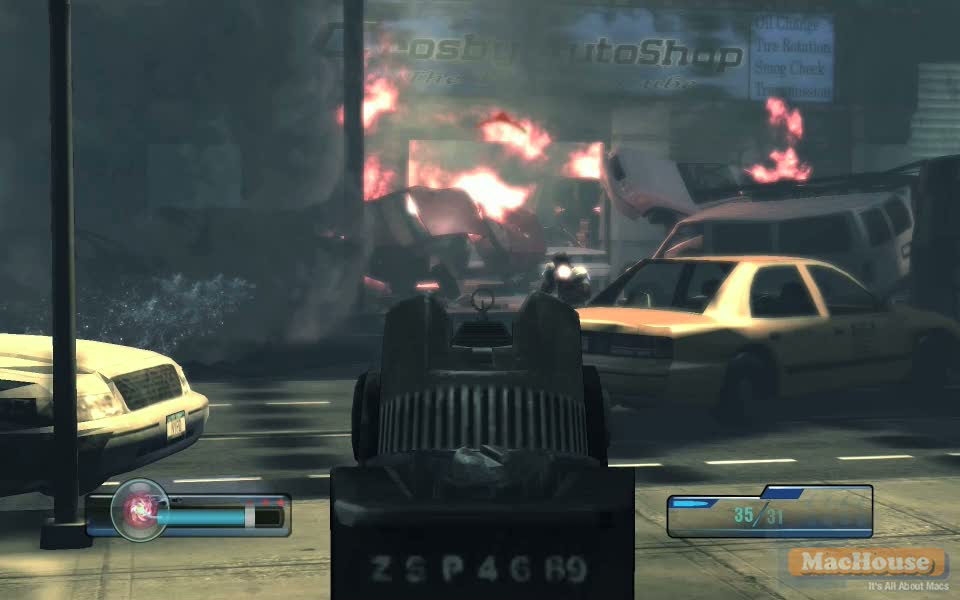
Playing Left 4 Dead with Boot Camp – Left 4 Dead Game Play Video Part III – 19 Minutes

Left 4 Dead Mac Boot Camp

The following QuickTime movie is a game play video of Left 4 Dead, which is one of the latest games that have been published by Electronic Arts. Left 4 Dead was developed by Valve Corporation, the game developer of the hit game series Half-Life.

Our last Left 4 Dead game play video covered the final chapter (Rooftop Finale) of the No Mercy campaign where Francis, Bill, Zoey and Louis had to go to the rooftop of a hospital building to be rescued by a helicopter.

This game play video comes from the last chapter (Boathouse Finale) of the second campaign (Death Toll). They’ve ended up in a quiet residential area. Eventually, they will reach a lakeshore and have to call for a rescue team. This time, they won’t be picked up by a helicopter. Perhaps, it’ll be a military plane?  Continue reading →

Call of Duty: World at War – Game Play Video Part II – 4 Minutes

Call of Duty World at War Mac Boot Camp Mac

Three weeks ago, we released a QuickTime game play video for Activision Blizzard‘s Call of Duty: World at War. It wasn’t a good game play video because the game didn’t allow us to capture a game play on the active screen. This game play video is better in this sense. However, the game only allows us to capture a game play on the active screen for some 70 seconds. Simply, we have joined five short game play videos into one. Honestly, this is a horrible game play video. Unlike other game play movies, it doesn’t show a continuous game play. In fact, it looks as if it were a promotional movie created by the game publisher. It should sound strange, but be advised not to watch it unless you are extremely bored. By the way, this game play video entirely comes from the second single-play mission: Little Resistance.  Continue reading →

Playing Legendary with Boot Camp – Legendary Game Play Video – Part II (19 Minutes)

Legendary Mac Boot Camp

The following QuickTime movie is a game play video of Legendary, a first-person action/adventure game for PC published by Gamecock Media Group in November 18. The game was developed by Spark Unlimited, which also developed Call of Duty: Finest Hour and Turning Point: Fall of Liberty in the past.

Legendary Mac Boot Camp Legendary Mac Boot Camp

Legendary has received pretty bad ratings at game review websites. As I stated before, the graphic quality is not so good. The last game play may not be fun to watch. This game play video is much better. In fact, it was quite fun playing the game. By the way, the best weapon that I have chosen is a fire axe.

Legendary Mac Boot Camp Legendary Mac Boot Camp

The game starts where Deckard was run over by a subway train in the last game play video. He managed to get back on the streets of New York City where cops are attacked by the Fire Drake. For now, cops are on his side to protect civilians. Then an army of mercenaries come to deploy and kill Deckard. His assistant Vivian says it’s LeFey‘s private security force.  Continue reading →

Video Tutorial: Editing Windows Video Files under Mac OS – Part 2

Mac video tutorial

Occasionally, some people ask us how they can edit (under Mac OS) AVI files they got from friends who use Windows OS. Also, we’ve been making game play videos for latest PC games for the past several months. Thanks to Apple’s Boot Camp, we can play PC games natively on our iMac 2.8 GHz Core 2 Duo. Suppose that we use screen-capture applications for Windows OS. Then how would we import them to Mac OS so that we could edit them with Final Cut Pro?

The following video tutorial shows steps to use video clips created under Windows OS for the purpose of editing them under Mac OS. A simple scenario is that one recorded a game play video with Fraps. And he wants to edit this game play video with Final Cut Pro. In another scenario, one recorded desktop activity, using Camtasia Studio or ZD Soft. And he wants to edit those screen-capture clips with iMovie. In this video tutorial, we record a short game play video under Windows OS. The ultimate goal is to edit a rendered video clip natively with Final Cut Pro under Mac OS. Of course, you can edit the same rendered video clip with iMovie and Adobe After Effects/Premiere Pro.

In the first video tutorial, we recorded a short game play video. In the second video tutorial, we import a rendered video clip to Final Cut Pro.  Continue reading →

Video Tutorial: Editing Windows Video Files under Mac OS – Part 1

Mac video tutorial

Occasionally, some people ask us how they can edit (under Mac OS) AVI files they got from friends who use Windows OS. Also, we’ve been making game play videos for latest PC games for the past several months. Thanks to Apple’s Boot Camp, we can play PC games natively on our iMac 2.8 GHz Core 2 Duo. Suppose that we use screen-capture applications for Windows OS. Then how would we import them to Mac OS so that we could edit them with Final Cut Pro?

By the way, the following is a rough list of screen-capture applications we’ve used in recent months.

  • SnagIt by TechSmith
  • HyperSnap by Hyperionics
  • Super Screen Recorder by Zeallsoft
  • Fraps by beepa
  • ZD Recorder by ZD Soft
  • Camtaisa Studio by TechSmith
  • We won’t discuss which one is the best for what particular purpose unless you are interested in our subjective amateur opinions. Anyway, that’s not the purpose of this post.

    The following video tutorial shows steps to use video clips created under Windows OS for the purpose of editing them under Mac OS. A simple scenario is that one recorded a game play video with Fraps. And he wants to edit this game play video with Final Cut Pro. In another scenario, one recorded desktop activity, using Camtasia Studio or ZD Soft. And he wants to edit those screen-capture clips with iMovie. In this video tutorial, we record a short game play video under Windows OS. The ultimate goal is to edit a rendered video clip natively with Final Cut Pro under Mac OS. Of course, you can edit the same rendered video clip with iMovie and Adobe After Effects/Premiere Pro.  Continue reading →