
Adobe Illustrator Basics for Dummies #12: Designing a Christmas Tree with Adobe Illustrator


Adobe Illustrator keywords: Transform Each, Path, Join, Filter, Distort, Roughen, Art Brush, Tints, Paintbrush Continue reading

Adobe Illustrator Basics for Dummies #12: Designing a Christmas Tree with Adobe Illustrator
Adobe Illustrator keywords: Transform Each, Path, Join, Filter, Distort, Roughen, Art Brush, Tints, Paintbrush Continue reading
Adobe Illustrator Basics for Dummies #11: Reproducing the Icon of Apple’s Mail


Adobe Illustrator keywords: Filter, Distort, Zig Zag, Type on a Path Tool, Warp, Flag, Pathfinder, Subtract from Shape, Effect, Stylize, Outer Glow, Drop Shadow Continue reading
Adobe Illustrator Basics for Dummies #10: Reproducing the Icon of Adobe Help Center


Adobe Illustrator keywords: 3D, Extrude & Bevel, Create Outlines, , Scissors Tool, Transform Each, Pathfinder, Intersect Shape Areas, Effect, Stylize, Drop Shadow Continue reading

We are about to put four video tutorials all for Adobe Illustrator in the final stage of Final Cut Pro production.


These video tutorials will be available at MacHouse’s MacWorld in a few days.
Adobe Illustrator is a product of Adobe Systems Incorporated.
Adobe Illustrator Basics for Dummies #9: Designing a Web Site
In this VTC, we use basic Illustrator skills to build a website.
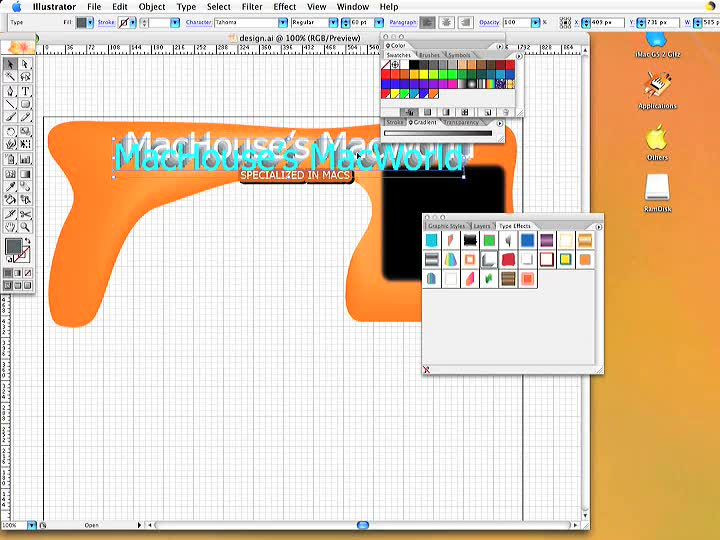

Adobe Illustrator keywords: Pen Tool, Rounded Rectangle Tool, meshes, Gaussian Blur, Graphic Style, Shirofuchi 1, Repeat, Appearances, Simplifying the Path, Area Type Tool, Adobe Fireworks Continue reading