Video Tutorial: Making Desktop Video with ScreenFlow – 01

Mac software Telestream ScreenFlow

Video Tutorial: Making Desktop Video with ScreenFlow – 01: Quick Overview

A few days ago, we reviewed a relatively new screen-capture application developed by Telestream, a software developer who is well-known for its QuickTime component called Flip4Mac. Over the next several days, we will be releasing several video tutorials showing how to use ScreenFlow. This series is intended for those who have little knowledge about video editing and wish to learn how to use Final Cut Pro, Motion or Adobe After Effects in the near future.

The goal of this video tutorial series is to record a desktop movie and create something fancy a bit by cutting unnecessary frames, zooming up some areas, embedding music. After going through at least five video tutorials, you should be able to create the following sample video. (The introductory video is made mostly with Motion, and we won’t show you how we made it.) It’s one of more than 100 documentation videos concerning Internet security that we have created in the past.

Click on the button to watch a sample video. VTC

This screen-capture video is concerned with a PayPal phishing message circulated by an organized cyber criminal group about 24 hours. A phishing website is hosted at a server run by a Chinese university.   Continue reading →

Mac Software Review: ScreenFlow 1.2.1

Mac software Telestream ScreenFlow
Mac software review

In the past two and a half years, we have tested and reviewed several screen-caputre applications. The most popular screen-capture application for Mac is Ambrosia‘s Snapz Pro X. It’s by far more popular than any other screen-capture software title for Mac. Despite its popularity, Snapz Pro X is no perfect at all.

Mac software Telestream ScreenFlow
Screenshot 01
  Mac software Telestream ScreenFlow
Screenshot 02

Let me quickly point out a couple of bad aspects of Snapz Pro X. If you use it (v. 2.1.2) under Leopard and enable Universal Access and turn on Zoom (Command + Option + #8), you may encounter a couple of undesirable side effects. One is a divided screen. After zooming in, if you scroll up or down on a web browser, Snapz Pro X may not be able to catch up with your action. (See Screenshot 01.) It is also true that two Mouse pointers will appear. The worst part is that Apple’s Final Cut Pro does not recognize the frame rates of Snapz Pro movies correctly. Screenshot 03 shows that I have a screen-capture video whose frame rate is close to 24. And Final Cut Pro says its frame rate is 10. (See Screenshot 04.) Ambrosia has been aware of this incompatibility issue since 2005 and has not been able fix it.

Mac software Telestream ScreenFlow
Screenshot 03
  Mac software Telestream ScreenFlow
Screenshot 04

So how about Telestream‘s ScreenFlow? Telestream is well-known for its Flip4Mac, a QuickTime component that enables Mac users to play Windows Media Player (WMV) movies with QuickTime. We have known ScreenFlow for probably one year or so. We couldn’t use it till last July because our old main machine had OS X 10.4 Tiger installed. And using ScreenFlow requires that you have Leopard installed on your machine. Anyway, I can tell you that ScreenFlow is the first and only screen-capture application for Mac that we know is better than Ambrosia’s Snapz Pro X.   Continue reading →

The Lord of the Rings: Conquest with Boot Camp – The Lord of the Rings: Conquest Game Play Video Part III & IV – 26 Minutes

The Lord of the Rings: Conquest Mac Boot Camp

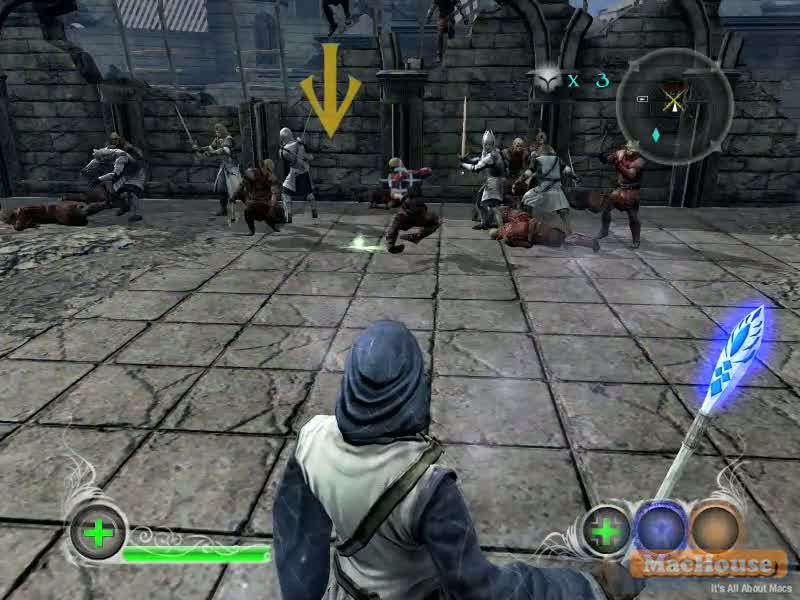
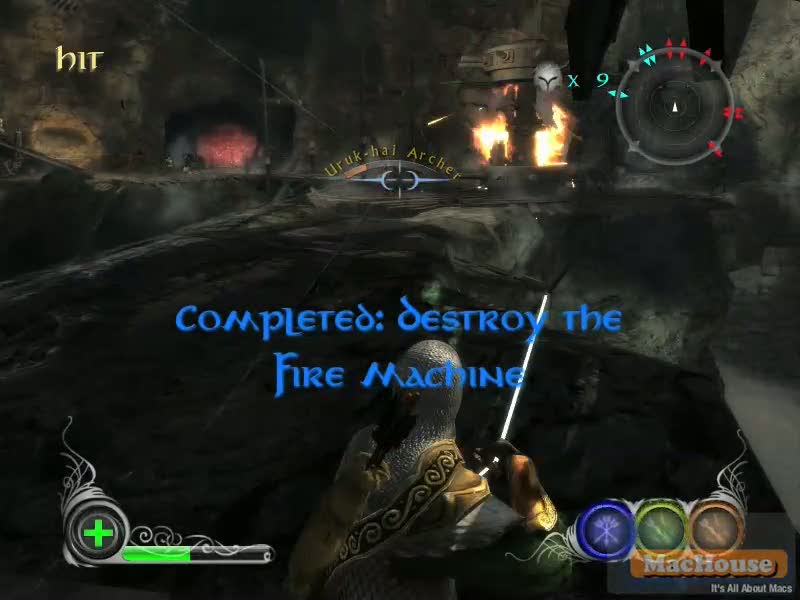
These two QuickTime movies show a game play of The Lord of the Rings: Conquest. These game play videos come from the War of the Ring Campaign and its third level Mines of Moria and fourth level Osgiliath.

The Lord of the Rings: Conquest Mac Boot Camp The Lord of the Rings: Conquest Mac Boot Camp

Maybe, the second level was entertaining for some people. But I can tell you that the third and fourth levels are a bit boring and too short.   Continue reading →

Apple Updating QuickTime to 7.6

Mac


Apple, Inc. today updated its multimedia application QuickTime to 7.6. The last version was 7.5.5, which was released last September. According to the company, QuickTime 7.6 has several audio and video improvements as well as security fixes. This release applies to both Mac and Windows versions. As for the Windows version, Apple says that there is an additional security measure on QuickTime MPEG-2 Playback Component.


  • an uninitialized memory access issue fix for third-party indeo v5 codec
  • a stack buffer overflow fix for QuickTime handling of panorama atoms
  • a memory corruption issue fix for QuickTime’s handling of STSZ atoms


  • Click on the button for more information on QuickTime 7.6 and changes. VTC
    Click on the button for more information on the security content of QuickTime 7.6. VTC
    Click on the button for more information on the security content of QuickTime MPEG-2 Playback Component (Windows only). VTC

    The Lord of the Rings: Conquest with Boot Camp – The Lord of the Rings: Conquest Game Play Video Part II – 18 Minutes

    The Lord of the Rings: Conquest Mac Boot Camp

    This QuickTime movie shows a game play of The Lord of the Rings: Conquest. This game play comes from the War of the Ring Campaign and its second level Isengard. The following 18-minute QuickTime video contains all cinematic movies.

    The Lord of the Rings: Conquest Mac Boot Camp The Lord of the Rings: Conquest Mac Boot Camp

    Some people may find the first game play video of The Lord of the Rings: Conquest that we released a few days ago a little boring. Hopefully, they will find this game play video more exciting. In this level, I played the following classes: Archer, Scout, Warrior and Mage (Gandalf as hero). Scout may not be a very powerful unit. But his Cloak attack is powerful enough to kill Grima Wormtongue in one strike by sneak-approaching and standing right behind him. Another interesting aspect of this level is that you will play an Ent almost at the end. You can smash and kill a few bad guys at a time with just one strike.   Continue reading →