Rise of the Argonauts with Boot Camp – Rise of the Argonauts Game Play Video Part I – 19 Minutes

Rise of the Argonauts Mac Boot Camp

This QuickTime movie is a game play video of Codemaster‘s latest action/adventure game Rise of the Argonauts. The game was published in North America in December 16. It was developed by Liquid Entertainment. This California-based company has also developed such games as Desperate Housewives: The Game (2006), Dragonshard (2005), The Lord of the Rings: War of the Ring (2003) and Battle Realms (2001).
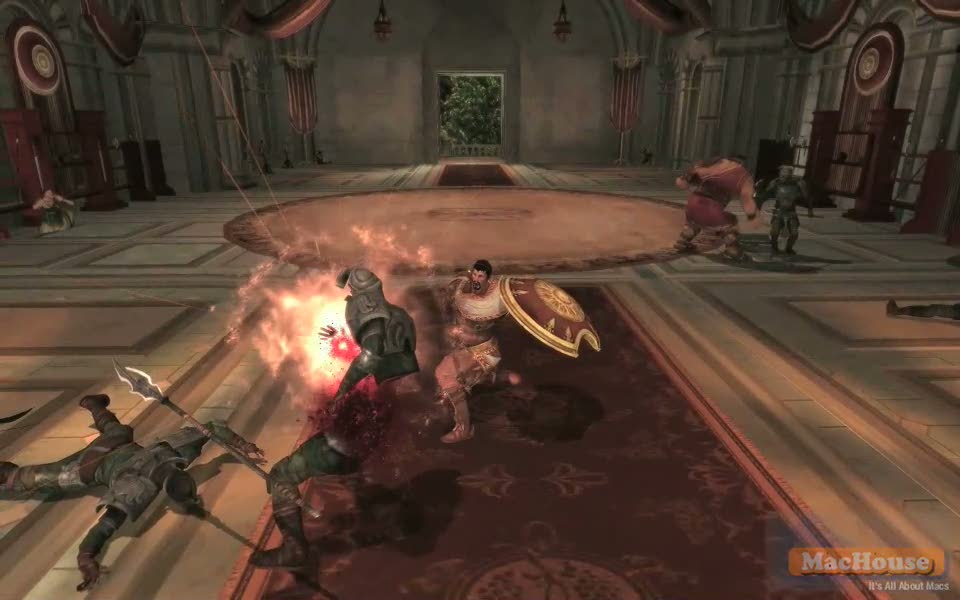
Rise of the Argonauts Mac Boot Camp Rise of the Argonauts Mac Boot Camp

This QuickTime video shows the very first 19-minute game play of Rise of the Argonauts including all cinematic movies. I can tell you that it won’t be very fun watching it. That doesn’t mean the game is not good. Honestly, I only played the game for about 20 minutes. So I have no idea as to how the game will develop.

Rise of the Argonauts Mac Boot Camp Rise of the Argonauts Mac Boot Camp

The story of the game evolves in an ancient Greek island in which Jason is the king. He lives a happy life with his wife Alcheme. One day, a group of assailants invades their palace and kills Alcheme. He refuses to accept her death and promises himself that he will find a way to revive her. His friend Hercules says the Oracle at Delphi must be the answer for her revival.  Continue reading →

Opening up iMac 2.8 GHz Core 2 Duo (iMac Early 2008)

Mac video tutorial

A few days ago, we installed two RAM cards to increase the RAM size of our iMac 2.8 GHz Core 2 Duo (Early 2008 or MB325) to 4 GB. That’s a 10-minute job, and anyone can do it. Meanwhile, inspecting the whole surface of the machine has made us wonder how we can open up this computer to replace hard disk drives? There are no screws to loosen up at the bottom of the machine or anywhere except for the RAM access door.

iMac Early 2008 MB325
Screenshot 01 – Source: MacHouse
  iMac Early 2008 MB325
Screenshot 02 – Source: MacHouse

We liked our iMac G5 2 GHz (Ambient Light with no iSight), which is now dead possibly because of its faulty power supply box or defective/damaged motherboard. You can easily open up this model to reach such parts as CD/DVD drive, hard disk drive, RAM cards and PRAM battery. All you have to do is to loosen up three screws at the bottom. (See Screenshot 01-2.)

iMac Early 2008 MB325
Screenshot 03 – Source: MacHouse
  iMac Early 2008 MB325
Screenshot 04 – Source: MacHouse
  iMac Early 2008 MB325
Screenshot 05 – Source: MacHouse

Anyway, it took us a while to figure out where to look to find hidden screws so that we can see the internal hard disk drive or anything inside iMac 2.8 GHz Core 2 Duo. It must be under the glass. In order to open up the latest line of iMacs (Early 2008), you need a few tools. One is a Phillips screw driver. If you have two different sizes, that will be nice. (See Screenshot 03.) Another must-have tool is a torque driver. The size is 8. (See Screenshot 04.) If you have ever installed a RAM card in your PowerBook for yourself, you should have the size of a torque driver that you need. Apple has been using the same size of torque screws for portable Macs for more than a decade. And you also need a tiny Flat Slot screw driver or something to life up the glass. I’ll just use a sucker or whatever the name of this object is. (See Screenshot 05.)  Continue reading →

Will A New Battery Save iMac G5 2GHz?

Mac video tutorial

I sometimes mention here that something went wrong with our 17-inch iMac G5 2GHz (Ambient Light). Many Mac users reported 3 to 4 years ago that the iMac model before this one had a power failure issue due to defective capacitors and/or a bad power supply box. Our iMac started having an odd problem in March and the operating system experienced a frequent kernel panic. Three months later, an internal fan started running fast with a horrible noise. Then it started having a rampant issue with Ethernet and FireWire. Back in July, we started having trouble turning it on. And it eventually died to the extent that it no longer turns on itself whether or not I reset the Power Management Unit (PMU).

We often go to Apple Discussions to see if other iMac users have the same issues. I am aware that several people have reported a dead iMac is back after replacing the internal battery. (See Screenshot 01.) So should we try putting a new battery?

iMac Early 2008 MB325
Screenshot 01 – Source: Apple Discussions
  iMac Early 2008 MB325
Screenshot 02 – Source: MacHouse

Hmm… It has never occurred to us that replacing the internal battery will solve our iMac G5 issues. So we didn’t even want to spend some five bucks buying a new one. I have a very old PowerBook 5300 (See Screenshot 02.). When I was still a graduate teaching assistant, I kept running it in the sleep mode without power supply in my office. Several months later, the green sleep light stop blinking because the battery went out. But I could still turn it on with power supply, which suggested to me that the battery was used to run the internal clock.  Continue reading →

iMac 2.8 GHz Core 2 Duo: The Dark Side of iMac Early 2008 – Not Very Green At All

Mac video tutorial

We purchased an iMac 2.8 GHz Core 2 Duo at the end of last July, soon after we realized that another iMac, iMac G5 2 GHz (Ambient Light), was near-dead. In fact, the latter machine doesn’t turn on itself any more.

Anyhow, we were quite happy with the latest model of iMac till about four days ago. Apple sometimes calls this model iMac (Early 2008). The official name is MB325. The machine comes with 2 GB of memory, which we thought was sufficient for the moment. We regret that we didn’t upgrade the video card to NVIDIA GeForce 8800 GS graphics processor with 512 MB. But people have unlimited wants with limited resources.

Several days ago, we decided to increase its RAM size to the maximum. iMac 2.8 GHz Core 2 Duo comes with 2 GB of RAM. And we wanted to increase it to 4 GB so that we could create game play movies and video tutorials with Final Cut Pro more swiftly.

iMac Early 2008 MB325
Screenshot 01 – Source:
computermemoryoutlet.com

RAM cards are quite cheap these days. For example, if you visit an online store called Computer Memory Outlet (computermemoryoutlet.com), it looks like you can buy 4 GB of RAM (for iMac Core 2 Duo) for $46.20. (See Screenshot 01.) This is not where we actually bought our RAM cards. And we don’t necessarily recommend people to buy RAM at this online store. In fact, you probably want to be careful with it because I don’t think the photo is a right one. It shows that there are two splits. The right chip model should only have one split.  Continue reading →