マックで使える製品の紹介:玄蔵 Duo (GW3.5MX2-SIU/CB)

玄人志向 玄蔵 Duo GW3.5MX2-SIU/CB
Mac product review

アップル社が数年前からデスクトップ・コンピュータにSATA (シリアルATA) のハードディスク・ドライブを搭載していることは、ご存知だと思います。何年もマックを使っているとSATAのハードディスク・ドライブを交換することもあるかと思います。そんな時に重宝する製品がハードディスク・ケースです。ハードディスク・ケースを使うことにより、必要のなくなったハードディスク・ドライブを外付けHDとして使うということです。

さてSATAドライブに対応する最近のハードディスク・ケースの接続方式で圧倒的に多いのがUSBです。次に多いのが。。。FireWireと言いたいところですが、実際のところがeSATAのようです。アップル社はまだeSATA対応の製品をだしていないので、Mac Pro意外でeSATA接続のみのハードディスク・ケースを使うことは不可能でしょう。そしてFireWire接続のケースですが、SATAドライブ対応の製品は何故かあまりありません。そこで今回紹介するのが、玄人志向から販売されている玄蔵 (くろぞう) Duo (GW3.5MX2-SIU/CB) です。(図01参照)

玄人志向 玄蔵 Duo GW3.5MX2-SIU/CB
図01: 資料元 – マックハウス
  玄人志向 玄蔵 Duo GW3.5MX2-SIU/CB
図02: 資料元 – マックハウス

まずこの製品の簡単な特徴を紹介しておきましょう。この製品の接続方式はIEEE1394a (FireWire 400) 及び USB 2.0/1.1ですので、Mac Pro意外のコンピュータ、iMac、Mac miniでも使うことができます。そして最も目に留まる特徴が、この製品はSATAのハードディスク・ドライブを2機収納可能なことです。例えば、iMac G5 2GHzに搭載されていたWestern Digital社製の160 GBハードディスク・ドライブがあったな〜。それとこのiMac (iMac 2.8 GHz Core 2 Duo)に元々搭載されていた、これまたWestern Digital社製の320 GBのハードディスク・ドライブも使わずに放置されている。ということで、その2つの内蔵ドライブを玄蔵 Duoに収納して、FireWire接続でこのiMacに繋げてみると。。。その結果は図02にあるように、SATAドライブを個々にマウントすることができます。そして価格が安いにも関わらず、玄蔵 Duoには冷却ファンがついているので、一応の熱への対策もされています。(図03参照)FireWireポートが2機搭載されているので、デイジー・チェーンで他のFireWire製品に繋ぐことももちろん可能です。(FireWireケーブルは1つしか付属していないので注意。)  Continue reading

Apple Soundtrack Pro 2 Basic Training – Part 2

Soundtrack Pro video tutorial

Apple Soundtrack Pro 2 Basic Training: Part 2 – Process

In this second video tutorial of the Soundtrack Pro Basic Training series, we first use QuickTime Pro to edit an existing movie file and save audio and video tracks separately. The goal of this video tutorial is to import these QuickTime files and apply Fade In at the beginning and Fade Out at the end of the audio track.   Continue reading

Apple Soundtrack Pro 2 Basic Training – Part 1

Soundtrack Pro video tutorial

Apple Soundtrack Pro 2 Basic Training: Part 1 – Introduction

Soundtrack Pro is a relatively new audio editing application developed by Apple, Inc. It was first introduced in April, 2005. Apple integrated Soundtrack Pro into Final Cut Studio in April, 2007. It is no longer an independent application and is now only available as part of Final Cut Studio 2 or Logic Studio. The current version of Soundtrack Pro available is 2.0.2.

Soundtrack Pro is a revolutionary audio editing application. That’s not because it comes with thousands of royalty-free music loops. Soundtrack Pro supports a non-destructive editing feature, which goes beyond Adobe Photoshop‘s History. Photoshop can record each step you have taken in the History palette. The history of actions will be cleared once the document is closed. Soundtrack Pro is different. Each action is recorded in the Actions window. The history of actions will be kept, depending on how you save a project file.

Soundtrack Pro video tutorial
Screenshot from Adobe Photoshop CS4
  Soundtrack Pro video tutorial
Screenshot from Apple Soundtrack Pro 2.0.2

The first video tutorial of the Soundtrack Pro Basic Training series goes over basic features of the audio editing application. After going over basic settings, the video tutorial shows how to work with multi-tracks, using Sound Effects loops.   Continue reading

Major League Baseball 2K9 – Game Review

Major League Baseball 2K9 Mac Boot Camp
Mac game review
MacHouse game rating: 9.0/10

Major League Baseball 2K9 (hereby, MLB2K9) is a real-time baseball simulation game that was published by 2K Games in March 3. This game is available for such platforms as Xbox 360, PlayStation 3, Wii, PlayStation Portable, PlayStation 2 and PC. The game was developed by 2K Sports (Visual Concepts). I can tell you at the beginning that this isn’t an ordinary baseball game.

As the title suggests, MLB2K9 covers all 30 Major League Baseball teams. Well, that’s not it. The game even covers all Triple-A teams. I’m not a big fan of MLB myself. I lived in Norman, Oklahoma for several years. So I know that there is one Triple-A team in Oklahoma City. That’s the Oklahoma City Redhawks. This team is the Triple-A affiliate of the Texas Rangers. As shown in Screenshot 01, MLB2K9 is set up in such a way that I’m ready to play a game where the Redhawks is my team that will compete against Las Vegas 21S.

Major League Baseball 2K9 Mac Boot Camp
Screenshot 01 – Source: MacHouse
 

So MLB2K9 lets you pick a favorite team of your own and play against others. Actually, this game is much more complex than just offering non-competitive, freelance game plays. It allows players to pick a team or more and to start a season tournament. Suppose that you have picked one MLB team. And if your team plays well during the 2009 season, then there’s a good chance that it can proceed to post-season games. And the final goal is of course to win the World Series. This competitive mode is called Franchise.

Major League Baseball 2K9 Mac Boot Camp
Screenshot 02 – Source: MacHouse
  Major League Baseball 2K9 Mac Boot Camp
Screenshot 03 – Source: MacHouse
  Major League Baseball 2K9 Mac Boot Camp
Screenshot 04 – Source: MacHouse

In order to start the 2009 tournament, you need to select Franchise under Game Modes at first. (See Screenshots 02-3.) Then create an account with a team or more to choose. (See Screenshot 04.) What I mean by ‘a team or more’ is that you can control more than one team during the season.
Anyway, if you have already created an account, then you just need to load it. If you have chosen to create a new account, then the next screen that you will see is Franchise Setup. (See Screenshot 05.) One of the settings that you can control is the number of games during the season. The maximum number of games is 162. The least number is 52. You will get to choose the number of innings, too. That means you don’t necessarily have to play for all 9 innings in each game. If you want to shorten each game, you can set the number of innings to 3, 4 or whatever. (Choose the number of innings between 3 and 9.) Next, you will get to choose a team over your control. The first team appearing in the team profile screen is always Los Angeles Angels. (See Screenshot 06.) If that’s not the team that you want to control, then you need to use the [ and ] keys to toggle and choose a different team. Shown in Screenshot 07 is the 2009 game schedule for Boston Red Sox, which I have chosen as my team. The very first game of the season is scheduled in April 6 against Tampa Bay Rays.   Continue reading

Major League Baseball 2K9 with Boot Camp – Major League Baseball 2K9 Game Play Video Part 5 – 45 Minutes

Major League Baseball 2K9 Mac Boot Camp

Major League Baseball 2K9 is a new PC game that was published by 2K Games in March 3. The game was developed by 2K Sports (Visual Concepts). In the past, 2K Sports has developed such sports games as MLB Front Office Manager (2009), MLB Superstars (2008), MLB Stickball (2008), NBA 2K9 (2008), NHL 2K9 (2008).

Major League Baseball 2K9 Mac Boot Camp Major League Baseball 2K9 Mac Boot Camp

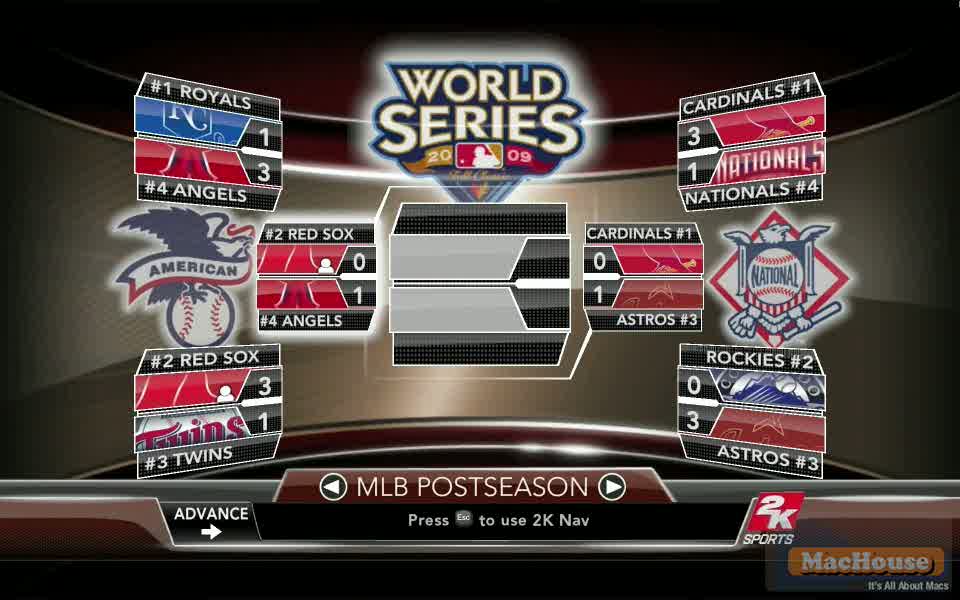
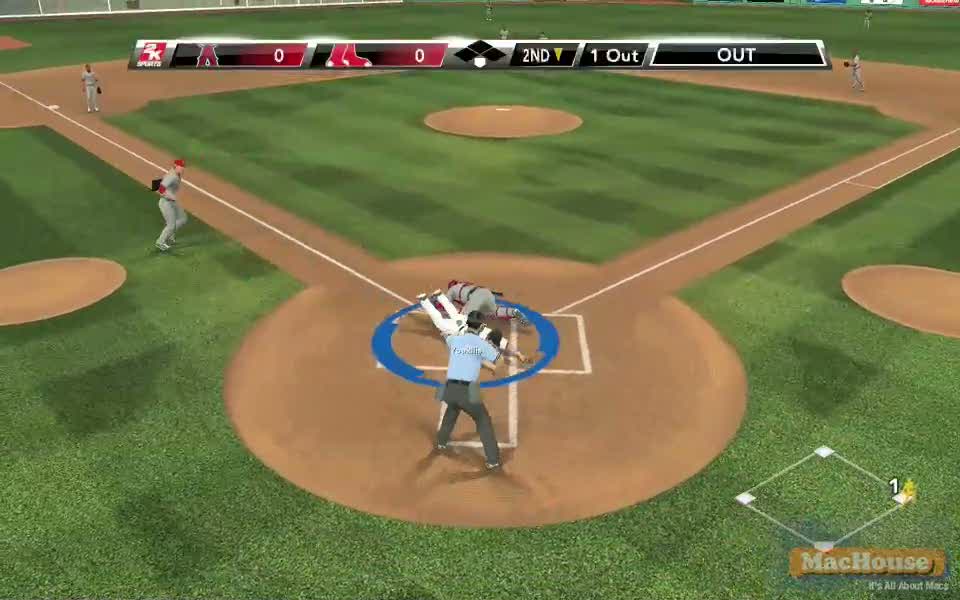
The following QuickTime video shows a game play of Major League Baseball 2K9. It’s a game play of Boston Red Sox versus Los Angeles Angels for the second game of the American League Championship Series. Red Sox lost the first game in the computer simulation. This game play video covers all 9 innings.   Continue reading